Early access · Virtual cards issued through Stripe

Give your team AI.
Keep the bill.

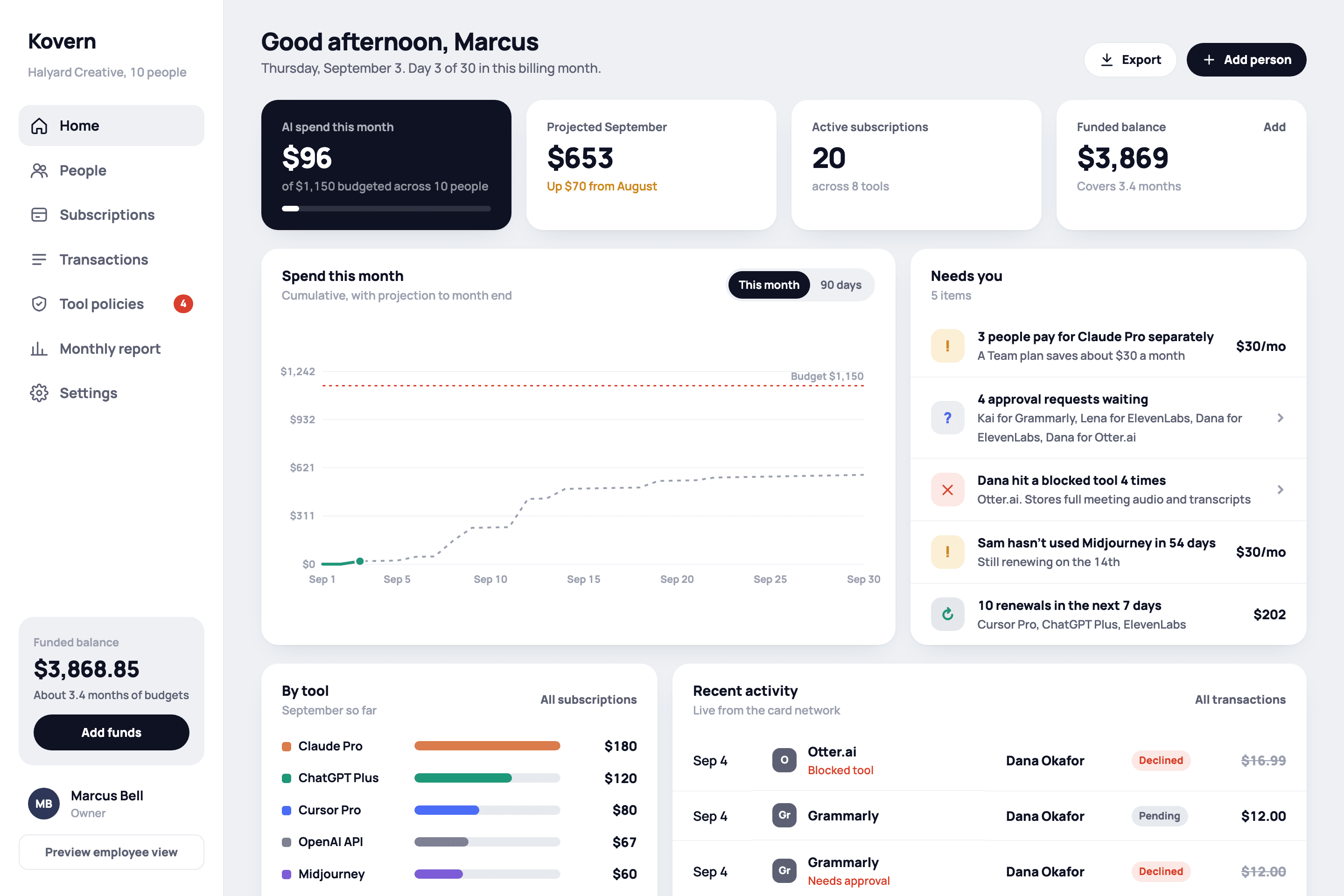
Kovern gives each person a virtual card that only works for approved AI tools, inside a monthly budget you set. Every subscription, renewal, and unused seat shows up in one place.

Works with every AI tool your team already pays for. No changes on the vendor side.

app.kovern.ai
Kovern dashboard: spend this month, projected spend, active subscriptions, funded balance, and a list of items that need attention

Works with the tools your team already uses

An AI subscription on a personal card is invisible until the expense report. Kovern moves the decision to the moment of purchase, where your policy can say yes or no in under a second.

Fig. 01
API
OpenAI APITheo Lindqvist
Settled$18.43
O
Otter.aiJordan Reyes · not on the list
Declined$16.99
C
Claude ProPriya Anand
Settled$20.00

Cards that only buy AI

Each card is locked to your approved vendor list. Anything else is declined in real time, and the person gets an approval link instead of a surprise.

Fig. 02
Kai Nakamura$60 of $120
Lena Marsh$118 of $120
Sam Okafor$30 of $80

Self-enforcing budgets

Set a monthly amount per person. Kovern authorizes each purchase against it as it happens and asks you before anything goes over.

Fig. 03
M
MidjourneySam · unused for 55 days
$30/mo
C
3 × Claude ProA Team plan saves about $30 a month
Save $30
Cu
Cursor ProRenews Sep 14 · 4 seats
$80/mo

Every subscription, visible

Renewals, duplicate seats, tools nobody has opened in weeks. Kovern spots them and shows what consolidating to a team plan would save.

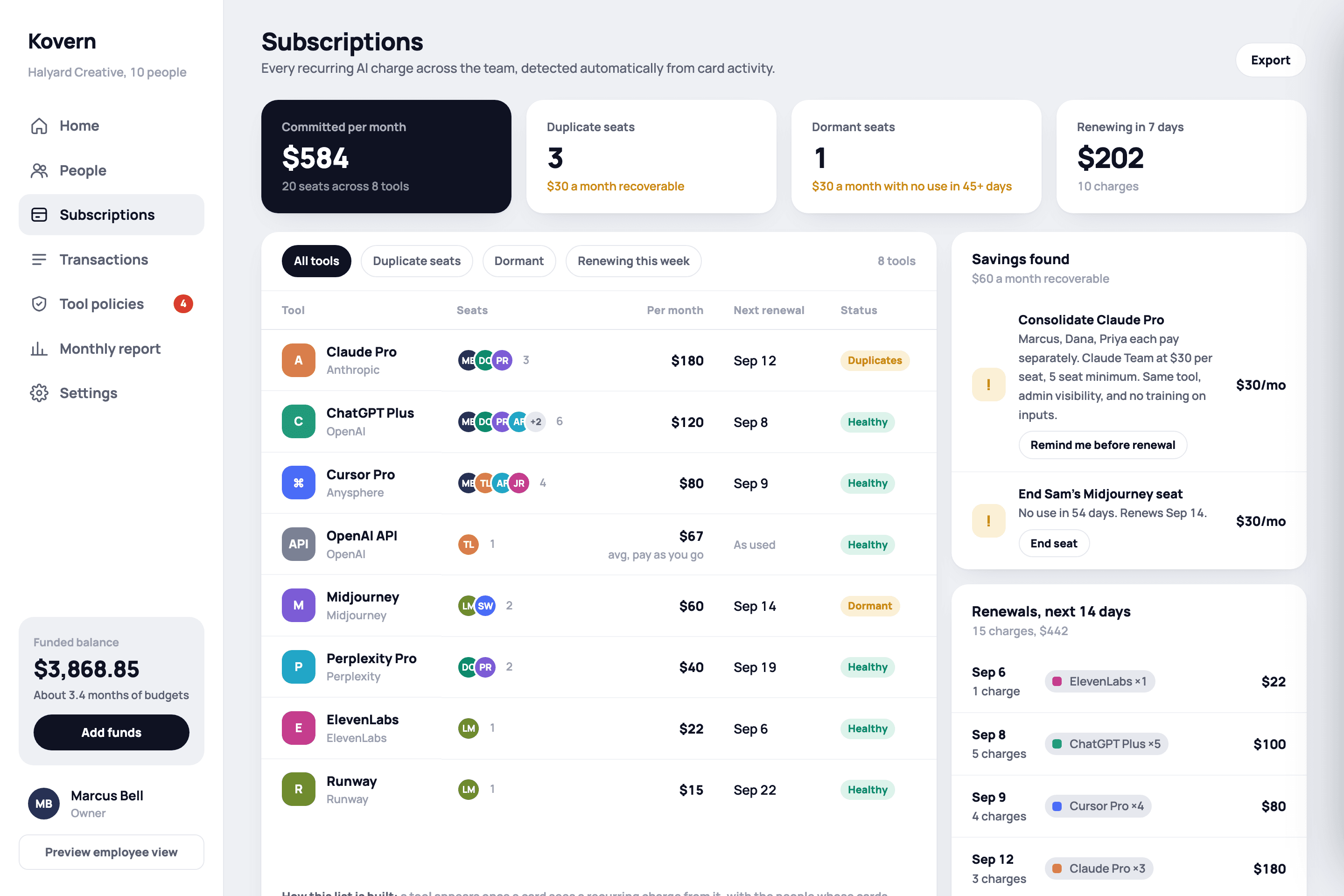
Subscriptions view listing every AI subscription with owner, renewal date, and last use
One list of everything you pay for. Grouped by tool, with who owns it, when it renews, and when it was last used.
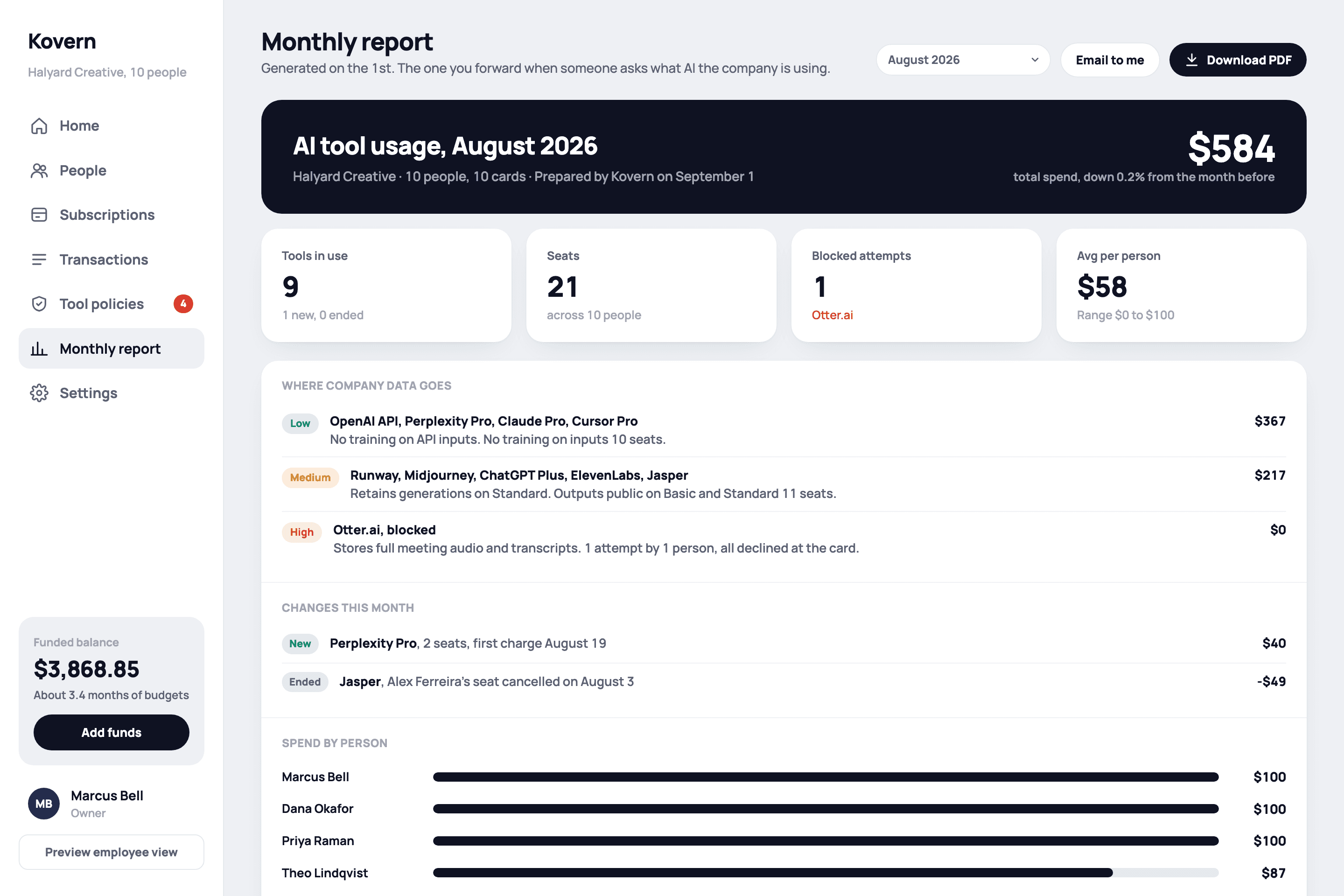
Monthly report with spend by tool and by person
A monthly report your CFO will actually read. Spend by tool and by person, savings found, and a PDF in your inbox on the first of the month.

Running in an afternoon

No procurement project. No changes to how your team signs up for tools.

  1. 01

    Fund a balance

    Link your bank and move money in. Set an auto top-up so budgets never run dry.

  2. 02

    Add people and budgets

    Import from Google Workspace or add them by hand. Each person gets a card and a monthly amount.

  3. 03

    They subscribe as usual

    People use their Kovern card wherever they sign up. Approved tools go through instantly.

  4. 04

    You see the whole picture

    Live spend, every subscription, approvals in Slack or email, and a report each month.

Bank-grade where it matters

Kovern is the control layer. The money and the cards run on infrastructure built for exactly that.

  • Issued through Stripe

    Cards are issued and funds are held through Stripe and its regulated banking partners. Kovern never stores card numbers or bank credentials.

  • Decided before the charge

    Every authorization is checked against your vendor list and the person's budget before the network gets an answer. Not after.

  • Vendor policies, reviewed

    Kovern reads each vendor's data and retention terms so you know which tools train on your team's inputs before anyone signs up.

  • Offboarding that keeps up

    A suspended Google Workspace account pauses the card automatically. Reassign or close it, and every subscription on it is listed.

Simple pricing

One price per person. The card, the approvals, the report, all included.

$8per person, per month
  • Virtual card locked to AI tools
  • Per-person monthly budgets
  • Real-time approvals by email and Slack
  • Subscription detection and savings
  • Monthly PDF report
  • Google Workspace sync
Request early access

No setup fee. No card fees. Cancel anytime.

Questions

What exactly does each person get?

A virtual Visa card, issued through Stripe, that lives in Kovern and in their phone wallet. It works at any AI vendor on your approved list and nowhere else. They subscribe the normal way, with their own card, and you see it the moment it happens.

What happens when someone tries to buy something that isn't AI?

The purchase is declined in real time and the person gets a one-tap approval request instead of a surprise. You approve or decline from email or Slack. Approve it and they retry the purchase within the hour.

Does it work with tools that bill annually or through the API?

Yes. Kovern sees every authorization on the card, so monthly plans, annual plans, and usage-based API bills all show up, each tied to a person and a vendor.

Where does the money sit?

You fund a balance from your bank. Funds and card issuing are handled by Stripe and its regulated banking partners. Kovern never stores card numbers or bank credentials.

Do employees need to install anything?

No. Employees get a simple page for their card, budget, and subscriptions that also installs as a home-screen app. Admins use the web dashboard.

What about people who leave?

Connect Google Workspace and a suspended account pauses the card automatically. You can also pause, reassign, or close a card in one click, and Kovern shows which subscriptions were on it.
Get early access

We're onboarding a small number of teams and setting each one up personally. Tell us a little about yours.

No sales sequence. A founder replies.

Already have an account? Sign in